Forum Discussion

How to customize Start Menu tiles?
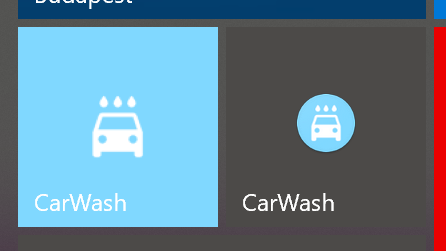

Here is what you're looking for:
1. download this open-source free tool, TitelCoinifier from Github
2. it's portable so just double click and run it as admin.
3. this tool is Exactly made for changing PWA, custom links, custom pinned programs on start menu, so for example if you have both Twitter app (installed from Win Store) and Twitter PWA app on start menu, this tool only shows you the PWA version when you type the App's name in its search area.
4. select your PWA app, then double click on icon area to select an .ico file.
P.S you can download .ico files from Internet, just type "download ico file for Carwash app"
or you can make your own ico file, then you need to covert normal PNG/JPEG file to ico. Photoshop doesn't do it by default, it needs a free plugin which you can get from here
or use online sites like this
you can't access the ico file of the installed Windows store app, those files are restricted and locked by the system, changing folder permissions mess things up later.
5. after you select your ico file, use the Sliders to make the icons look bigger and fit.
you can press this button here to auto-resize the icon for you.
6. once you're satisfied with the size, click on "Tile Iconify!" button and you're done.
Before:
After:

HotCakeX I love how community solve a lot of Windows Issue since MS Does not care about community feedbacks and UX or UI 🙂
- HotCakeXNov 20, 2020MVPThey do care, but if you see a bug or problem you should report it using feedback button on Edge. that's the primary way Edge developers use to track problem.
they've said that countless times in the forum.
https://techcommunity.microsoft.com/t5/discussions/problem-with-pwa-icons-on-start-menu-on-edge-dev/m-p/1860066 johnjansenNov 20, 2020Former Employee
HotCakeX and Isuke2005 that's right: the best way to provide feedback directly to the team at Microsoft is to file feedback via the app. We can get diagnostics and screenshots, etc. There is some good data on why this is so tough here: Adaptive icon support in PWAs with maskable icons (web.dev)
If you're the dev building the PWA, you can also choose to send multiple different manifests depending on the platform.
It's really quite surprising how complex the tiles and icons are. We have different ways of showing icons in the taskbar, in the Start "flyout", in the list of programs on Start, in Search results, on the desktop. Many times, we are only given one icon in the manifest, and it's meant to work on Android, but has not been tested on Windows because PWAs on Windows is relatively new.
Please do keep the feedback coming. We are working in this area right now and hoping that the experience keeps improving.
-John
- Isuke2005Nov 20, 2020Copper Contributor
johnjansen and HotCakeX
Sorry but they don't.
Examples:
- Explorer tabs + no one care https://answers.microsoft.com/en-us/windows/forum/windows_10-files/file-explorer-tabs-in-version-1809/bb50514f-220d-417a-99cc-20492e5c936a
they tell you to use some other software
- Accent letters+ they tell you to instal different keyboard layout and use it or search for charmap and copy and paste accent letters.
- Few years ago (when surface comes out) I bought one, I reported multiple errors with UI, they did not fix any, I attached all info needed.
- Laggy animations, even fresh install with Ryzen 2700x, GTX 1080ti, 16 gig ram can lag animations in system, somehow hackintosh on crappy laptop dont have this problem somehow,- I was repporting A LOT OF issues for UI (I'm picky about UI crap) and they are still in sytem, no one care
- UI is just outdated, thankfully thare are great community themes that are great.
- Phone app - I'm just not gonna talk about it how bad it is.
... and many many more.
Sorry but im just tried of fighting with Windows, I no longer report issues, since no replays no fixex for those.
At least we have great community that fix bunch of those issues by custom apps, maybe some day Win will be open source so people can fix this pile of issues 🙂