Start with the event-driven triggers and code you already have, then add AI reasoning with Azure Functions hosted skills. When a task needs to continue after the original request, coordinate several steps, or wait for information, Dynamic Workflows runs the plan durably and keeps intermediate results out of the model context, which can reduce repeated model turns and token use.
Azure Functions already gives you a familiar way to build event-driven apps. A queue message, HTTP request, timer, or event triggers the code that handles the work.
Azure Functions hosted skills (formerly Serverless Agents) add AI reasoning to that model. A hosted skill can read a request, use the regular tools you give it to inspect context, and choose the next step, while your triggers, tools, and business logic stay in place.
When the work needs to keep going
Consider an insurance policy servicing request. A hosted skill can use its regular tools to understand the requested change, look up the policy, and inspect the submitted documents. If the information is ready and the request can finish now, the normal tool loop, where the model calls a tool, reads the result, and decides the next step, is a good fit.
That changes when the work must continue after the initial request. An insurance policy servicing request may need to inspect several documents in parallel, wait for a configured delay before checking again for missing information, and build a review packet after the checks it depends on complete. In a normal tool loop, each result returns to the model before the skill can decide what happens next. The application must keep the job alive, save its progress, and deliver the final result.
At that point, the work needs to keep running independently of the original interaction instead of relying on the model and application to coordinate every step. For a queue or other non-HTTP trigger, the final result also needs to be written or sent somewhere useful because there is no response channel.
Introducing Dynamic Workflows
Dynamic Workflows brings a programmatic tool-calling pattern to Azure Functions hosted skills. Instead of sending every tool result back to the model so it can decide the next call, the model creates a structured, validated workflow plan once. Durable Functions then executes the allowed workflow-safe tool calls, waits, and subagent tasks, passing intermediate results through the workflow instead of the model context. This can reduce model turns and token use for multi-step work while making the work durable.
That separation addresses the limits of the normal tool loop: the workflow store keeps state and intermediate results out of the model's context, independent checks can run in parallel, and durable timers resume waits without holding a worker open. Because a Durable Functions orchestration handles execution, the work can continue after the original request or a Functions worker restart.
To test the difference, we ran the same structured multi-step task with the regular tool loop and with Dynamic Workflows, using a Foundry gpt-5.4-mini deployment. We ran it with inputs for one service and then ten services. In the Dynamic Workflows version, the model made the plan once, while the runtime kept intermediate tool results in the workflow store instead of sending them back to the model after every tool call. Dynamic Workflows used 56% fewer total model tokens for the one-service run and 93% fewer for the ten-service run, while producing the same final reports. Results will vary by workload and model, and small jobs can have planning overhead. The savings are largest when intermediate tool results would otherwise return to the model after every tool call.
How it works
Enable workflows in the hosted skill's Markdown front matter. The runtime then adds the management tools: start_workflow, get_workflow_status, list_workflows, cancel_workflow, and terminate_workflow. You do not implement those tools. You choose the workflow-safe tools and subagents that a plan can use.
At run time, the AI model uses the hosted skill's instructions to generate a structured plan, limited to the workflow-safe tools and subagents you explicitly allow. The hosted skill calls start_workflow with that plan; the runtime validates it, starts a Durable Functions orchestration, and returns a workflow ID right away.
---
name: Add Driver Review
description: Prepares an add-driver document review for an insurance representative.
workflows:
  enabled: true
trigger:
  type: queue_trigger
  args:
    queue_name: policy-service-requests
    connection: AzureWebJobsStorage
---
Put workflow-safe handlers under tools/ and decorate them for use in a workflow. Each handler must run synchronously, accept one dict argument, return JSON-serializable data, and be idempotent. A worker failure can cause a handler to run more than once, which is why that last point matters. Ordinary tools retain their existing behavior unless you explicitly make them available to a workflow.
workflow_tool(
    description=(
        "Inspect one document from an add-driver request. Args: "
        "{document: <document>, position: int}. Returns the document and evidence state."
    )
)
def inspect_driver_document(args: dict[str, Any]) -> dict[str, Any]:
    document = args["document"]
    evidence_state = {
        "received": "present",
        "missing": "missing",
        "expired": "needs_current_copy",
    }[document["status"]]

    return {
        "position": args["position"],
        "document_id": document["document_id"],
        "type": document["type"],
        "file_name": document["file_name"],
        "evidence_state": evidence_state,
    }
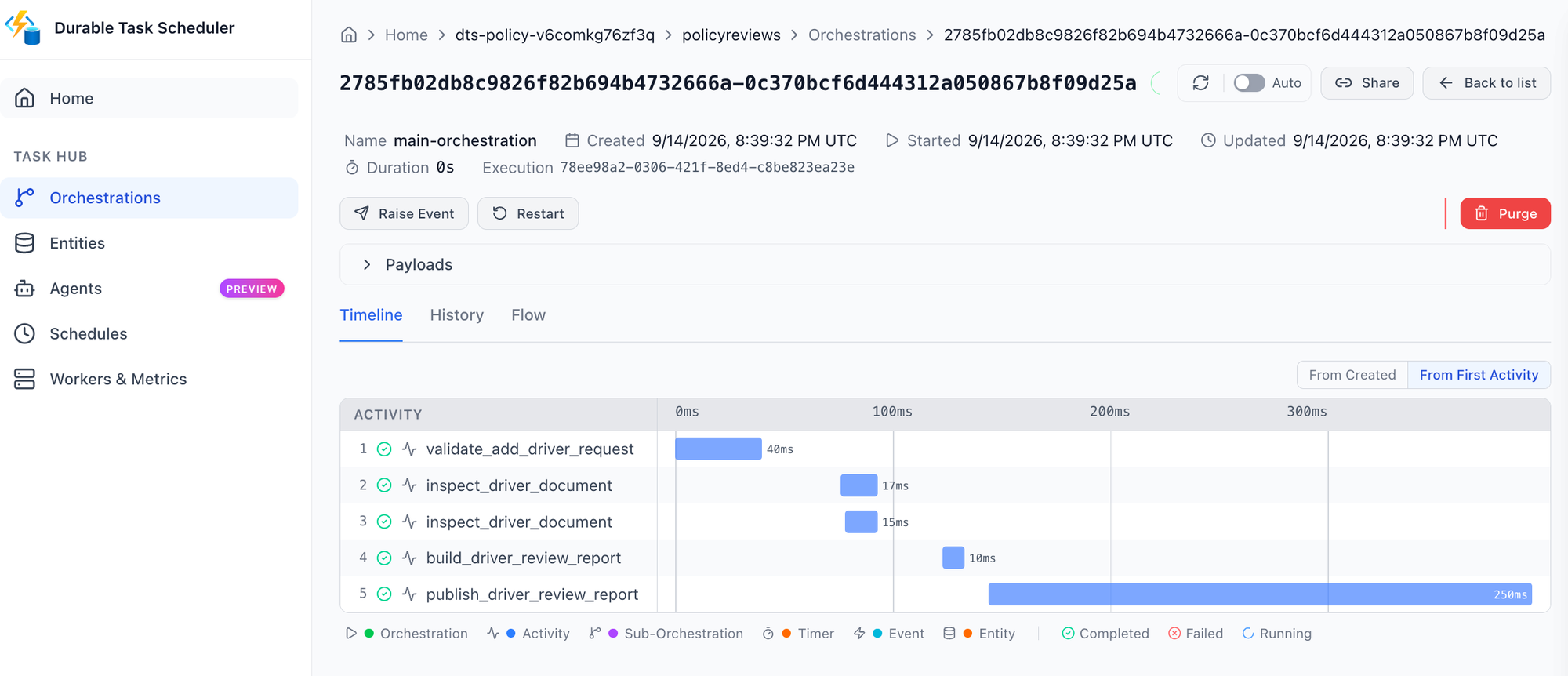
Dynamic Workflows runs on Durable Functions. You can configure Durable Task Scheduler in host.json and use its dashboard to see per-instance task state, retry history, and controls for work that is still running. Durable timers let a workflow wait without keeping a worker busy, then resume the steps that are ready. The workflow stays visible and durable instead of depending on an open request or a best-effort background task.
Get started
Build your first Azure Functions hosted skill dynamic workflow with the quickstart, then use the overview and sample to go deeper:
- Follow the Dynamic Workflows quickstart.
- Read the Dynamic Workflows overview.
- Browse the insurance policy review sample for an end-to-end implementation.

 Microsoft