Forum Discussion

brettkennedy
Jun 17, 2024Copper Contributor
Visual Basic/Macros
I have uninstalled office, reinstalled office. I have even updated the office apps and then I have ran quick repair. I have checked for any add ins that can cause this issue. For some reason my s...

brettkennedy
Jun 18, 2024Copper Contributor
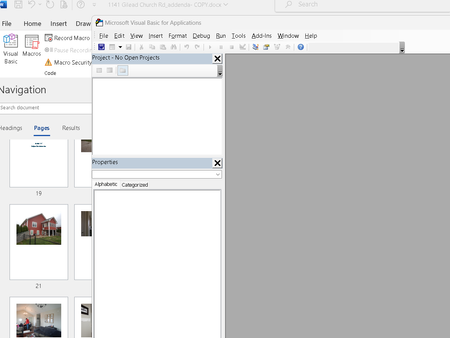
Doug_Robbins_Word_MVP It's as though Word doesn't know where to find anything. When I open the project explorer nothing is there. I get an error message saying "Could not open macro storage." before Visual Basic opens. And all the commands are greyed out... and nothing works. I'm attaching a screenshot of the error message and what it looks like when the Project Explorer window is chosen.

Jun 18, 2024
brettkennedy Try performing an On-Line repair of the Office Installation.
What do you see under File>Options>Trust Center>Trust Center Settings>Trusted Locations