Forum Discussion

Wassim_Guemri
Jan 02, 2023Copper Contributor
Problème avec liste numérotée
Bonjour Comment définir une liste de numérotation personnalisée (Style de nombre). Par défaut il y'a la liste "Premier, Deuxième, Troisième, etc." ; cependant je veux avoir la liste suivante "Premi...
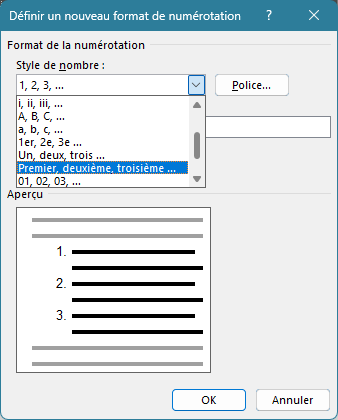

Wassim_Guemri
Jan 03, 2023Copper Contributor
Thank you for your answer. Unfortunately i was not clear enough to explain my concerns. In fact, I don't want to format the text (color, bold,...), I want to create my own list style. I putted by red to show you the difference between the one proposed by default by word and with red the one that I want change. I hope it's more clear now and sorry for my english.

Jan 03, 2023
As I mentioned, to have the first item formatted in that way, you will have to manually apply the color and underline.
However, if you show us an actual example of the list that you want to create, that will be the best way of providing information on what you want to do.
However, if you show us an actual example of the list that you want to create, that will be the best way of providing information on what you want to do.
- Wassim_GuemriJan 03, 2023Copper ContributorWell, I already gave an example on my posts. So by default, the list is :
Premier
Deuxième
Troisième...
This list is used with only masculin nouns. So if it's succeeded with a female noun the conjugation is wrong and the list should be :
Première
Deuxième
Troisième...
The difference is only on the first word of the list (premier/première).
I hope it's clear now.- Jan 03, 2023As I mentioned, to have the first item of the list (Premier or Premièr) formatted in that way, you will have to manually apply the color and underline.
As far as the first item in the list taking the appropriate gender is concerned, you could raise that issue with Microsoft via Help>Feedback.