Forum Discussion

Alberto2
Feb 03, 2026Copper Contributor
PAGE BREAK 365 WORD DOC doesn't work
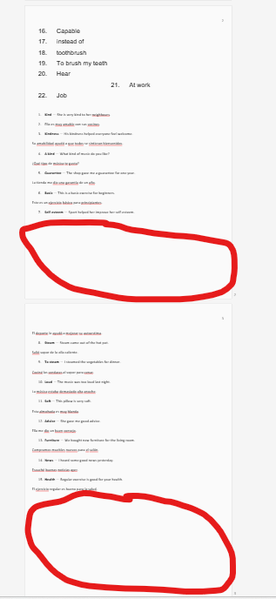
Hello The page break on 365 word docs don't work properly. The create an enormous space between one page and the following, making it very difficult to work with for presentation, taking into ac...

Stefan_Blom
Feb 11, 2026MVP
You need to look at the pagination options mentioned by Kidd_Ip. The actual problem may be a combination of these options or one particular option applied to "too many" paragraphs. For example, if many successive paragraphs are set to "Keep with next," you may get unexpected page breaks, because Word has to start a new page at some location.
Displaying nonprinting characters will also be helpful; click the ¶ icon on the Home tab.