Forum Discussion

Microsoft Word 365 (16.0) Word Options - Customize Ribbon - Macros: List not sorted
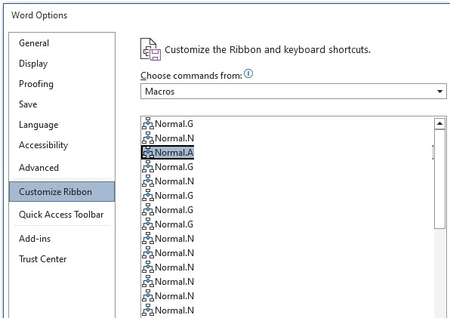

Hi Charles_Kenyon, thank you for your reply.
I put my macro's in a separate tab 'Custom tools' (image attached as well):
Then I export the ribbon and edit the XML to customize it (no icons, no autoresize).
I just wanted to add yet another macro to this tab, hence my question.
My macro's are in different modules as well, depending on their purpose.
From a developer's perspective I don't see why you shouldn't sort a list before filling the listbox.
Speed and/or memory shouldn't be an issue anymore these days.


I agree that it should be sorted. That is why I included the feedback link.
Since you are already doing XML modifications, if you are creating special purpose Ribbon Tabs, you really should be doing it directly in XML following Greg Maxey's instructions. This gives much greater flexibility and power.
You do not want use the Customize the Ribbon tools in the UI and Export/Import. That really limits what you can do and means that to use it on another system, you need to overwrite any Ribbon or QAT modifications made by the user on that system already.
By modifying the XML of the template that contains your macros, you attach the modifications to that macro template and it can be used as a document or global template.
Here is a screenshot from the Ribbon Tab I developed for my office.
The menus are primarily to create documents from templates and are completely dynamic. I can change the menu by adding or subtracting a template from a folder. You could put your macros into menus as well.