Forum Discussion

Link to heading
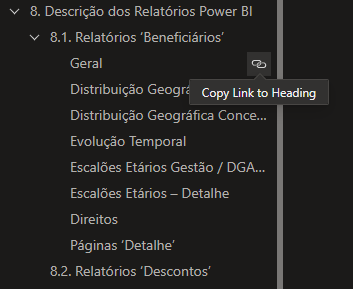

To prevent users from entering Edit mode when clicking the linked headings in your Word document, you can try the following steps:
Document Protection:
Protect your Word document with a password.
Go to the "Review" tab, click on "Protect Documenthttps://ehsaasprograam.com/" and set a password.
This will restrict users from making unintended changes without the password.
Sharing Settings:
In Power BIhttps://picassoappz.org/ ensure that the sharing settings are configured to allow viewing without editing.
Double-check the link settings to make sure it is set to "View" mode.
Deep Linking:
Instead of linking directly to the document, try deep linking to specific headings.
Use the format #heading=<HeadingID> in the link, replacing <HeadingID> with the actual ID or text of the heading you want to link to.
Review Permissions:
Confirm that users have the appropriate permissions to view the document but not edit.
Check both the document permissions and Power BI sharing settings.
PDF Conversion:
Convert your Word document to PDF and link to specific pages or headings.
PDFs often maintain links and formatting without the risk of unintended edits.
Advanced Power BI Configurations:
Explore advanced configurations in Power BI to ensure the link behavior aligns with your requirements.
This may involve adjusting report settings or using alternative methods for linking.
Test these suggestions to see which combination works best for your specific scenario. If the issue persists, you may want to consult Microsoft support or community forums for more in-depth assistance.
Best of luck! 