Forum Discussion

Hidden Multilevel List Style
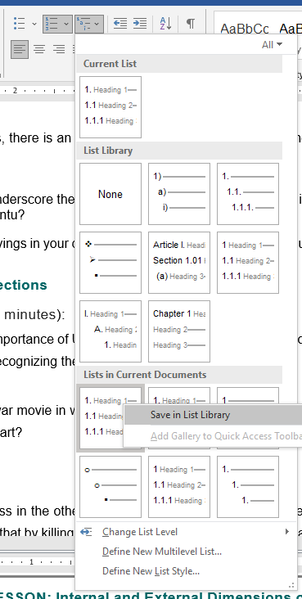

1. This will depend on how the multilevel list was initially created. If list styles were used, you should modify the list style itself, from the "List Styles" category under Home tab > Paragraph group > Multilevel List. If a list style has not been used, click in the very first level 1 item of the list and then click Home tab > Paragraph group > Multilevel List > Define New Multilevel List. Make the desired changes.
2. Adjust the value for "Add tab stop at" for the level. In many cases, you will also have to increase the value for "Text indent at" (if you want a hanging indent).
3. I believe that most numbering formats would not have a period after the last number in a numbering level. However, I don't think this is a general rule that will always apply.

- Stefan_BlomJul 14, 2023MVP
If you do not want a tab character to be added, choose some other option than "Tab character" in the "Follow number with" drop down, for each level that you want to change.
I am not sure why you are losing the linked style. Just to clarify, are you saying that the setting for "Link level to style" reverts to "(no style)"?
If you want to, you can share a sample document for illustration.