Forum Discussion

phyowinko
Aug 15, 2025Copper Contributor
Help, Microsoft word format space went wrong
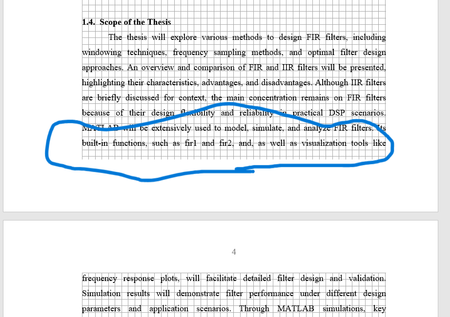
I am doing my thesis book with microsoft word. I am basic user have little prior knowledge. In this document, it left a very much space without texts. Actually it has to fill with second page pa...

gseach_1
Aug 15, 2025Copper Contributor
You have Justified alignment turned on. Justified alignment makes the paragraph look box-like, with straight edges. Try using Left alignment. Highlight the paragraph whose alignment you want to change. Select the Home tab, and in the Paragraph group, select the alignment of your choice.
If you really do prefer Justified alignment, try turning hyphenation on. From the Layout Tab, in the Page Setup group, click Hyphenation, then select Automatic.
Hope this helps.
Graham R Seach
 WaicecaSep 08, 2025Iron Contributor
This works great for me, thx for the tip!