Forum Discussion

Creating custom arrows

As an extension to Charles_Kenyon's answer,
One shape that can handle type of arrow is the "Curve" shape.
When you select the curve tool, you get a crosshair to guide you.
Before you draw the first "leg" of the arrow, (i.e. before you click anywhere) hold down <CTRL>+<SHIFT>, and keep holding them down until you've drawn the complete line. This will help you draw in 90 and 45 degree lines. So, hold down keys, click where the arrow should start, click where the corner is, and then a quick double click where the arrow ends.
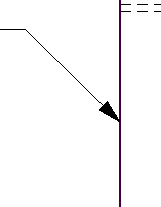
You'll end up with something that looks like this:
Now, with the shape selected you should have the "Shape Format" banner shown. On that look for Shape Styles and expand.
This will open up the "Format Shape" sidebar to your right.
In the "Fill & Line" tab, at the bottom, you have the "End Arrow type" and "End Arrow size" which can be modified to get the line end into an arrow.
Closer to the top you can change the "Width" to maybe 0.75 pt which will give you something like this: