Forum Discussion

Can't save MS Word files anymore on my Mac
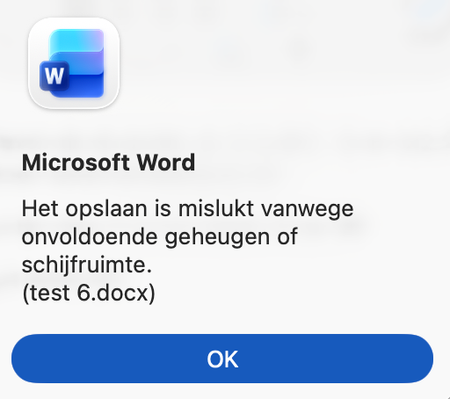

By referring to the error message “insufficient memory or disk space” that typically does not reflect actual storage or RAM limitations. Instead, it is often triggered by problematic or corrupted content within a document say embedded images, formulas, or other objects. May consider mitigating it by keeping Office applications up to date, clearing temporary files, and using Word’s repair functionality to restore affected documents.
https://learn.microsoft.com/en-us/answers/questions/5766557/office-for-mac-insufficient-memory-bug

Thanks for the reply Kidd_Ip
The link you've shared shows exactly the same problem.
Unfortunately no solution in sight yet.
I've already tried all the options listed by you and the ones in the shared link.
You're spot on with
it is often triggered by problematic or corrupted content within a document say embedded images, formulas, or other objects.
I'm using the files distributed by my publisher. Those files have a lot of mathematical formulas and graphs in them. The error message arises when I'm trying to copy those formulas or graphs.
A colleague of mine experiences a similar issue now that he has updated to word 16.107.1
He had no issues before when using word 16.106.3
And I have been using those files for five years on a Mac without any issues too.
So I believe the problem is deeply rooted in an updated Word version.
Workaround
I'm now opening the publisher's word-file in pages.
From there I can copy the things I need directly into a new word file.
When I copy/paste in this manner. No memory bugs occur.
But I prefer there comes a fix for this issue.
Thanks for anyone who offers the magical solution