Forum Discussion

Windows11 Is it possible to customise lock screen widgets
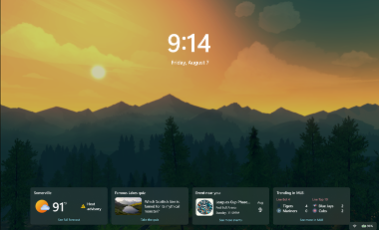

You’re trying to choose individual Windows 11 lock-screen widgets instead of disabling the whole area. Current builds support this, although only providers offering a small widget size appear in the catalog. Open Settings > Personalization > Lock screen, find Widgets, and select Add widget. Add the items you want, drag them to change their order, and use the three-dot menu beside a widget to remove it or open its customization options. A provider can limit what is configurable, so some widgets may only be added or removed. If you still see the older “Weather and more” selector rather than a Widgets list, install all Windows and Microsoft Store updates, then restart. That older experience does not let you choose each card separately. On a managed PC, organizational policy can control lock-screen widgets; if the controls remain unavailable, ask your administrator to check that policy.