Forum Discussion

Windows PC on Network shows up but I can no longer connect to it.
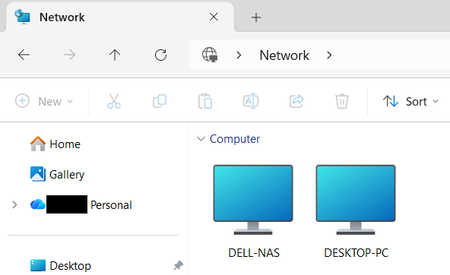

hi Jim_S61 The fact that DESKTOP-PC still appears under Network means network discovery is working, but that doesn't necessarily mean RDP or file sharing is working.
A few quick tests:
On the Windows 7 PC, confirm Remote Desktop is still enabled under System → Remote settings.
From a Windows 11 laptop, try RDP using the PC's IP address instead of its name.
Test the connection with:
`Test-NetConnection <IP-address> -Port 3389`
For file sharing, try `\\<IP-address>` in File Explorer.
If the IP address works but `DESKTOP-PC` doesn't, the problem is likely name resolution. If the IP connection also fails, check the Windows 7 firewall and Remote Desktop service.
One other thing to keep in mind: newer Windows 11 releases have tightened SMB security, so an old Windows 7 SMB configuration can sometimes be visible on the network but no longer accessible.
The IP-address test is probably the quickest way to narrow this down.
 Jim_S61Sep 29, 2026Copper Contributor
Thanks. I will try what you suggest and see what happens. I'll come back and let you know what happened.