Forum Discussion

MatthewGreen
Aug 26, 2025Iron Contributor
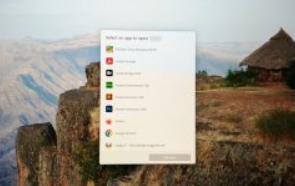
Windows 11 Startup screen upon bootup
Please see attached image. This pops up every time I boot Windows 11. What is this and how do I get rid of it?

Saurabhprajapati01
Aug 26, 2025Tin Contributor
How to fix it:
1. Check Startup Apps
- Right-click the taskbar → Task Manager → Startup apps tab.
- Disable anything suspicious.
2. Check Startup Folder
- Press Win + R, type: shell:startup
- Delete strange shortcuts.
- Also check with: shell:common startup
3. Check Task Scheduler
- Open Task Scheduler.
- Look for odd tasks under Task Scheduler Library.
4. Set Default Apps (if needed)
- Go to Settings → Apps → Default Apps.
- Assign the right program for the file type.