Forum Discussion

Windows 11 Laptop Fan Loud at 0% CPU Why?
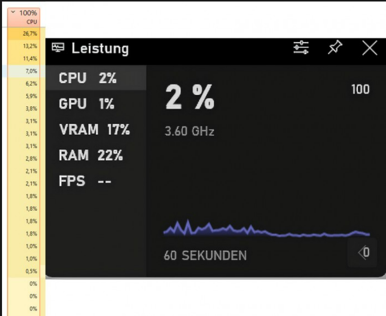

Hey — a low CPU percentage doesn’t always mean the cooling system has nothing to do. The fan can also react to GPU activity, SSD temperature, battery charging, a firmware sensor, or one short background task that Task Manager misses.
I’d start with Settings > System > Power & battery and temporarily choose Balanced or Best power efficiency. Then check temperatures with the laptop maker’s own diagnostics app, install its latest BIOS/firmware plus chipset and graphics drivers, and make sure the vents are clear and the machine is on a hard surface. A full shutdown, rather than only Restart, is also worth trying.
If the fan is still at full speed while temperatures are genuinely cool, run the manufacturer’s hardware diagnostics from the boot menu. That points more toward a fan controller, sensor, or cooling-hardware issue than Windows itself. What laptop model and temperatures are you seeing?