Forum Discussion

OakleyCruz
Jan 22, 2026Iron Contributor
Windows 11 Default Application Selection and Launch Options Missing
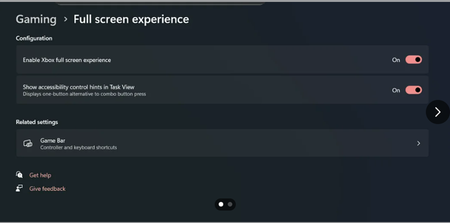
After updating my device to the latest version of the Windows 11 Beta Channel, the system enabled the Full-Screen Experience feature, but the settings interface lacks key options, which affects norma...

Dyloinan
Jan 25, 2026Silver Contributor
- Press the Windows key + I to open the Settings app and head to Apps > Installed apps.
- Locate the app you want to repair. Click the three-dot menu icon next to it and go to Advanced options.
- Scroll down to the Reset section and click Repair.
If the problem persists, you can also Reset the app from the same menu. Note that this will remove all the app data.