Forum Discussion

srmehta
Jul 11, 2026Tin Contributor
Win11 update in BIOS loop.
11 July 2026 Hi My Win11 notebook was updating and then it suddenly went in to a BIOS loop. After downloading Win11 setup installation from the Media Creation Tool on a USB stick, I restrated t...
 Jul 14, 2026
14.07.26
Update to my BIOS loop problem.
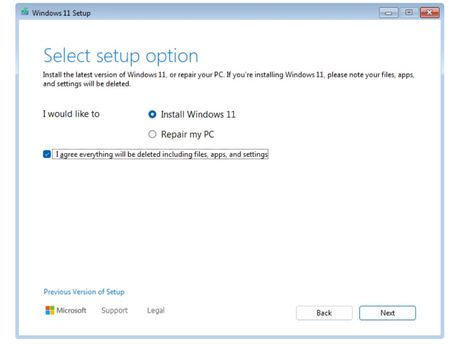
- The Win11 installer downloaded from the WindowsMediaCreation.exe on the USB was not recognized in the BIOS because I did not run it and saved the files on the USB drive, instead I was using the WindowsMediaCreation.exe on the USB stick straight in the notebook and then booting it but BIOS didn't recognize anyfiles because it look at the WindowsMediaCreation.exe file as it was downloaded and not opened. After running the WindowsMediaCreation.exe file on the USB and then using it to boot the notebook - the BIOS immediately recognized the Win11 installer files and uploaded Win11 - which is now is now up and running on my notebook ( btw this was a fresh new install on new sata hdd). 🙂👍
- Next task is to get all the data on the old sata hdd on to the new sata hdd in the notebook! Update the user administration on the removed sata old hdd and transfer all data on to the new sata hdd
- Thanks srm
srmehta
Jul 14, 2026Tin Contributor
14.07.26
Update.
I didn't realize I had to run the Windows Media Creation Tool .exe file, save the contents on the USB drive and then use the USB for booting on the notebook to install Win11. So, yep it worked and I'm now running Win11 installed on the new sata hdd drive on my notebook. 😀
Next step is to get data of the old removed sata hdd drive, check the partitions on the hdd, change the settings for users access, etc.
Cheers