Forum Discussion

Houstonptei
Aug 26, 2024Tin Contributor
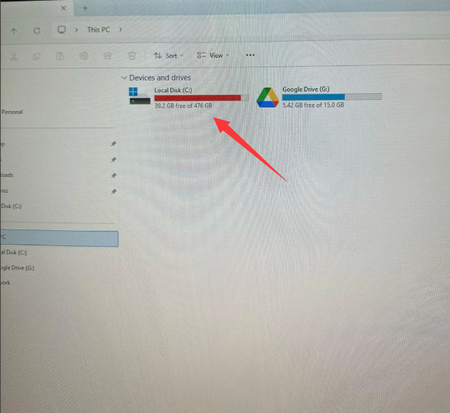
Why my C drive is full? I don't install many apps

Tomasstes
Sep 01, 2024Bronze Contributor
Use Disk Cleanup Utility: Search for Disk Cleanup from the Start Menu to remove temporary files, old Windows updates and unnecessary system files.
Manage restore points: Manage or delete old restore points to free up space by going to System Properties > System Protection > Configuration.
Clean up temporary files: Temporary files generated by browsers, installers and applications can take up space. In addition to using Disk Cleanup, you can use third-party tools such as CCleaner to remove these files.
Find and delete large files and folders: Check your C drive regularly and delete forgotten large files or folders to free up more space.
Manage restore points: Manage or delete old restore points to free up space by going to System Properties > System Protection > Configuration.
Clean up temporary files: Temporary files generated by browsers, installers and applications can take up space. In addition to using Disk Cleanup, you can use third-party tools such as CCleaner to remove these files.
Find and delete large files and folders: Check your C drive regularly and delete forgotten large files or folders to free up more space.