Forum Discussion

Gwensdolyn
Sep 19, 2024Copper Contributor
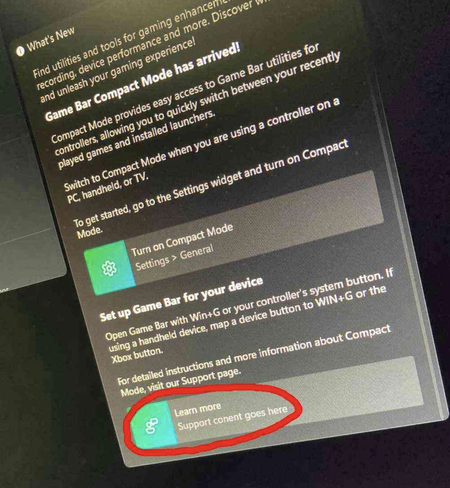
Why I can't open the support content link after gamebar update?
Anyone has the same problem as me? The link in the following screenshot can't be opened.
 Oct 23, 2024Ensure that there are no restrictions or settings that might prevent the Game Bar from opening links, like parental controls or third-party security apps.

Sendall
Oct 02, 2024Iron Contributor
1.Check Internet Connection: Ensure that your internet connection is stable and working correctly.
2.Restart Game Bar: Close the Game Bar and restart it to see if that resolves the issue.
3.Update Windows: Make sure your Windows operating system is up to date. Sometimes, dependencies or fixes might be available in a newer update.
2.Restart Game Bar: Close the Game Bar and restart it to see if that resolves the issue.
3.Update Windows: Make sure your Windows operating system is up to date. Sometimes, dependencies or fixes might be available in a newer update.

BenjaminCooper
Oct 14, 2024Brass Contributor
Second option worked for me, thansk you man!