Forum Discussion

Gwensdolyn
Sep 19, 2024Copper Contributor
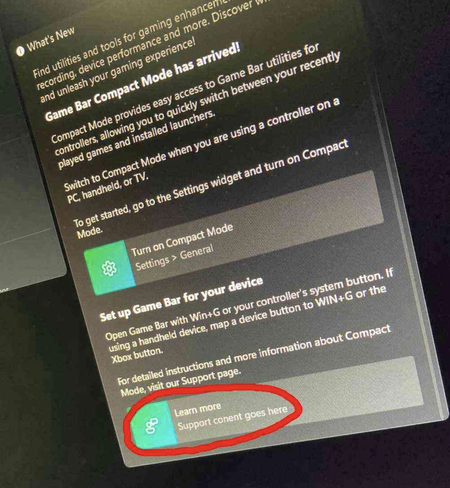
Why I can't open the support content link after gamebar update?
Anyone has the same problem as me? The link in the following screenshot can't be opened.
 Oct 23, 2024Ensure that there are no restrictions or settings that might prevent the Game Bar from opening links, like parental controls or third-party security apps.

Eommy
Sep 24, 2024Silver Contributor
1.Check Internet Connection: Ensure that your internet connection is stable. If you're experiencing connectivity issues, it may affect your ability to open links.
2.Game Bar Settings: Sometimes, settings within the Game Bar can be adjusted or reset. Open the Game Bar and check if the settings related to support or links have been changed.
3Clear Cache and Cookies: If you’re trying to open the link in a web browser, clearing the cache and cookies may help resolve any load iss.ues.