Forum Discussion

Zaxbrun
Jul 07, 2026Brass Contributor
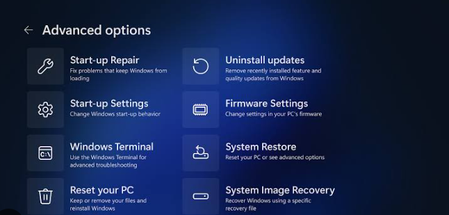
The Update That Made USB Keyboards and Mice Useless in Recovery Mode
After installing a recent Windows 11 update, my USB keyboard and mouse stop working entirely when trying to access recovery mode or advanced startup options. This issue prevents me from using ess...

Jamony
Jul 07, 2026MCT
I’d start outside Windows first, because Recovery Mode depends heavily on firmware/USB handoff.
Try a basic wired keyboard/mouse plugged directly into the PC, preferably rear motherboard USB ports on a desktop, not a hub or dock. Then check BIOS/UEFI settings for options like Legacy USB Support, USB keyboard support, or XHCI hand-off, and make sure they’re enabled. A BIOS/firmware update can also help if this changed after a Windows update.
If you need recovery urgently, boot from a Windows 11 installation USB and choose Repair your computer. That uses a separate WinRE environment and may get input working long enough to roll back the update or use System Restore.