Forum Discussion

Strange behaviour of Windows search box on taskbar
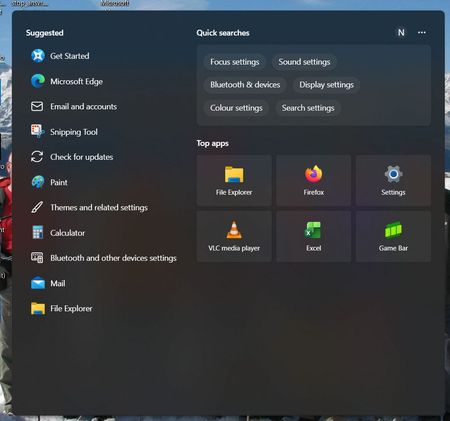

Because the layout changed when the PCs contacted the network and later changed back without repairing Windows, this looks more like a service-controlled Search Home experiment than an indexing failure. The local index determines what files and apps are found; it does not normally decide which promotional or suggestion cards appear before a search is entered.
I would compare the Windows build and the Search component package on the affected and unaffected PCs. In PowerShell, run Get-AppxPackage MicrosoftWindows.Client.CBS and record the Version value. Also record whether each machine uses a local account and the region/language settings. Do not delete Search packages or apply registry changes just to force an older card arrangement.
Submit the two screenshots through Feedback Hub under Search, include the package version and the time the layout changed, and use "Recreate my problem" while opening the search panel. If searching itself works, there may be no supported local switch to restore the previous home layout; the actionable request is for Microsoft to expose a setting instead of changing the card layout remotely.