Forum Discussion

Strange behaviour of Windows search box on taskbar
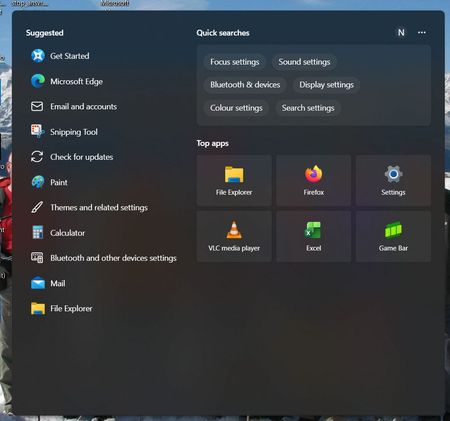

The older Search Home layout returning offline, then changing after Wi-Fi connects, strongly suggests cloud-delivered Search content rather than a damaged index. Search highlights and other web-backed suggestions can change independently of a cumulative update, so SFC, DISM, and rebuilding the index would not restore a particular layout. Check Settings > Privacy & security > Search permissions, expand More settings, and toggle Show search highlights off; sign out, then turn it back on if you want dynamic content. On managed Pro, Enterprise, or Education devices, also check “Allow search highlights” under Computer Configuration > Administrative Templates > Windows Components > Search; policy overrides the personal setting. Compare it on all three PCs. If Search works but still shows only recent searches, the card arrangement is likely server-side, and Microsoft documents no supported switch that forces the previous layout. Report the before-and-after screenshots through Feedback Hub.