Forum Discussion

Storage full
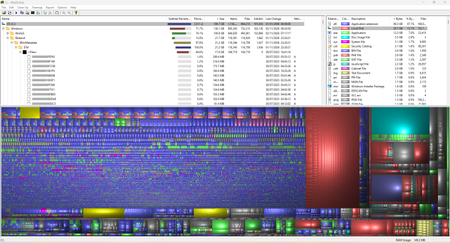

Your screenshot highlights Windows system storage, including WinSxS and NTFS metadata; the purple file-type colour does not establish that Edge owns all that space. Please do not remove those blocks directly.
Start with Settings > System > Storage > Cleanup recommendations, reviewing temporary files and personal files before accepting deletion. Move wanted downloads or other large personal files elsewhere instead of deleting them.
For WinSxS, run DISM /Online /Cleanup-Image /AnalyzeComponentStore from an administrator terminal. Its actual-size calculation accounts for hard links, unlike a simple directory total. If cleanup is recommended, use DISM /Online /Cleanup-Image /StartComponentCleanup and compare free space afterward.
One important qualification to the earlier reply: adding /ResetBase prevents uninstalling all currently installed update packages. I would not include it in the first cleanup attempt. The screenshot also cannot prove the transaction metadata is stale; leave it intact and investigate that separately if it remains unusually large.