Forum Discussion

Search in File Explorer can't find files with hyphens
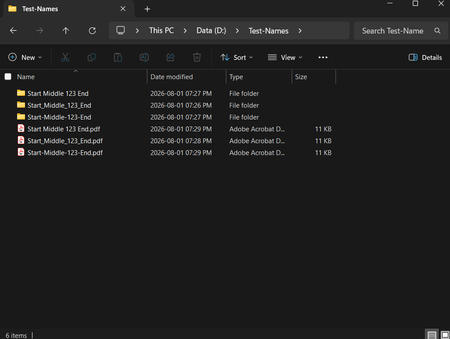

Your point about Microsoft needing to improve search functionality is valid. Many users have reported similar issues, and better search accuracy and reliability would greatly enhance user experience. Until then, employing techniques like wildcard searches can help mitigate these problems.

The main reason I made this post is for public awareness as most people (based on my experience) don't have their digital data well organised and rely on memory, visual scanning, or search to find their needle in a haystack.
Also, files are often shared and majority of people outside the tech circle have no idea of using wildcards. I've even worked with software developers who had no idea they could use * in Windows search. When they search for something and see no results, they conclude that file doesn't exist which is practically data loss -- unless it's mission critical and they have to dig into their messy folders, wasting time.
I wouldn't frame it like you have as if the current search works fine and fixing the reported issues will "enhance the user experience". Let's not water it down. My post demonstrates the current search functionality is BROKEN.
If it was an issue with some obscure characters, it would've been acceptable. Hyphen is not some obscure Unicode character, and kebab-case is one of the most common file naming conventions. Being able to find files with exact matching keywords using the absolute baseline A-Z and 0-9 characters beyond the first word is NOT about an enhancement -- it's a basic requirement.