Forum Discussion

Need help with my search tab
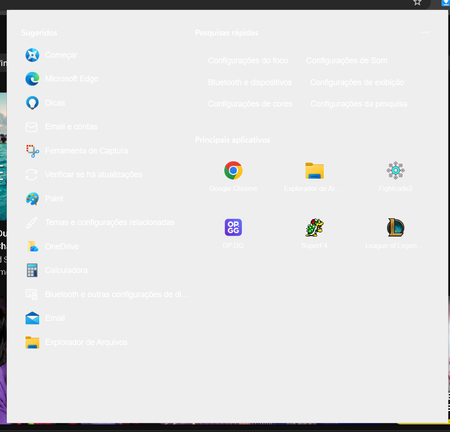

The screenshot confirms Windows 11 Search loads a light background while retaining white text in dark mode. Because it briefly renders correctly, this points to Search or theme state, not indexing. Open Settings > Personalization > Colors, choose Custom, set both default Windows mode and default app mode to Dark, then confirm Settings > Accessibility > Contrast themes is None. Install pending Windows updates and restart. If the colors still switch, open Task Manager > Details, end SearchHost.exe, and reopen Search; Windows restarts the process automatically. Test a newly created Windows account to see whether the problem is limited to your profile. Microsoft’s supported Search reset is the next step, but it can temporarily affect result relevance, so use it only after these checks. If a new account works or resetting does not help, submit the screenshot, Windows build, and reproduction steps through Feedback Hub under Desktop Environment > Search.