Forum Discussion

macOS monterey download for creating a bootable usb installer?
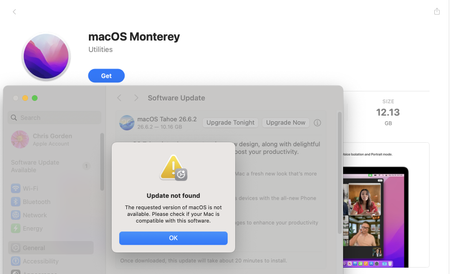

If you're planning a macOS Monterey download to create a bootable USB installer, you're on the right track for reinstalling or upgrading an older Mac. The process is straightforward, but a few common questions tend to come up before people begin.
Common Questions:
1. Where can I get a legitimate macOS Monterey download?
The safest source is Apple's official servers, accessed through a compatible Mac. Third-party sites carry risks of modified or infected files.
2. Which Macs are compatible with Monterey?
Monterey supports most Macs from 2015 onward, plus a few 2013–2014 models. Check Apple's official compatibility list before starting your macOS Monterey download.
3. How large is the installer?
The full installer is roughly 12 GB, so ensure you have enough free space and a USB drive of at least 16 GB.
4. Can I create the USB installer on a newer Mac?
Yes, as long as the Mac can run or download Monterey. The USB installer itself works on any compatible target machine.
5. What if the download fails or stalls?
Retry from a stable connection, and avoid pausing the download. A partial macOS Monterey download will not produce a usable installer.