Forum Discussion

macOS monterey download for creating a bootable usb installer?
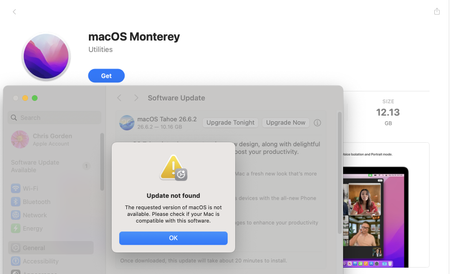

The App Store compatibility message can prevent you from getting Monterey through the normal installer page, which is a problem when the Mac you need to repair cannot boot. For a macOS Monterey dmg download, macadmin-scripts provides installinstallmacos.py, which reads Apple’s software update catalogs, displays the available macOS installers, and downloads the selected installer components from Apple’s servers.
To download Monterey, open Terminal on the working Mac and run this single command:
mkdir -p ~/macOS-installer && cd ~/macOS-installer && curl https://raw.githubusercontent.com/munki/macadmin-scripts/main/installinstallmacos.py > installinstallmacos.py && sudo python3 installinstallmacos.py
The script will display a numbered list of available installers. Select the Monterey 12.x release you need and allow the download to finish. For this macOS Monterey dmg download method, the completed DMG is placed in the ~/macOS-Installer/ folder and contains the macOS installer application, which can later be used when preparing installation media.
Pros:
- Downloads directly from Apple
- Creates a full installer DMG
- Supports multiple macOS versions
Cons:
- Requires Terminal
- Needs some command-line knowledge
- Installer availability can vary