Forum Discussion

How to Bulk Convert HEIC images to JPG on Windows 11 PC?
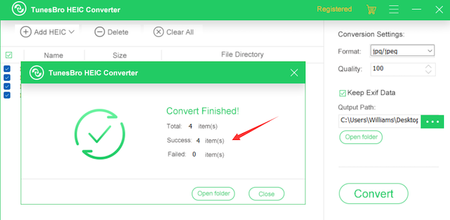

HolawayStay away from TunesBro HEIC Converter. It works fine if you are converting a couple dozen photos, but I needed to convert a couple thousand. You can't convert more than around 80 without the application locking up. There is a terrible memory leak so have each tiny batch of conversion, you have to restart the application because it never releases memory. Poorly written and not user friendly at all.

Dayoldmeat I don't agree with you. It's unlikely that your computer will get stuck after transferring 80 files. If so, then your computer's configuration is too low and too old. I have been using Tunesbro HEIC converter for 4 months. I purchased it for a lifetime. On my computer I often convert hundreds of HEIC photos at once. The conversion only takes 6 minutes, basically one file per second, and the computer does not freeze!
- DayoldmeatDec 20, 2023Copper Contributor
Steve_Felix It has nothing to do with my laptop. (Which is under 2 years old) The software is crap and I can't believe I paid money to use it. I could watch the memory usage for the "bro" software grow and grow as I converted pictures. I couldn't do more than 80 or so at a time without locking up. My photo's were larger than yours as well.
iMazing is free and worked AWESOME by the way. I thought the iTunesBro software would be easier to use and take less time. Boy, was I wrong.