Forum Discussion

How do I restore quick access to File Explorer in Windows 11?
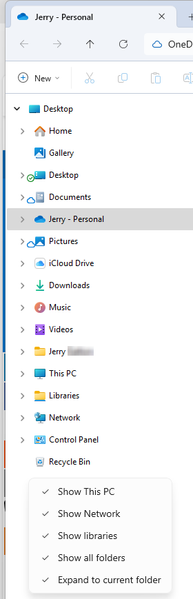

I just don't understand Microsoft's levels of "questionableness"....
1. They don't simply provide a simple "setting" in which we can CHOOSE what Shortcuts are in the Sidebar.
2. They don't provide a simple "setting" so we can CHOOSE what shortcut Folders or Drives are in "This PC".
Instead, have to use a "Registry Hack" to get them back....
I just don't understand Microsoft.... I mean, how do they think that folder being "barren" looks good?
I've been using that Folder to go to my Drives and Main Folders since I started using Windows, I don't understand why they wouldn't give us the "choice"? Instead, they just REMOVE features.
It's the same with Windows 10 Start Menu and Explorer Menu Bar. FAR Superior than the TRASH they have currently given us. They just could have been "improved".
Again, we have to use 3rd Party Scripts, Reg Entries, whatever to get the stuff back.
They could have at least provided these things in Windows "PRO".... you know, for us PRO users.
11's Start Menu is literally UNUSABLE for me.... I have too many Apps...!!!
Ugh.... :(