Forum Discussion

thickthstreat
Aug 02, 2025Iron Contributor
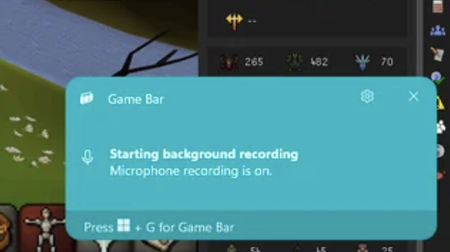
How can I stop game bar pop-up notification?
This pop-up appears when I am playing games. Don't know how to turn it off. Thank you very much in advance

smh71
May 24, 2026Copper Contributor
I've had a similar issue which frustrated me to no end. I have a shortcut to take a screenshot, but found it was still notifying me every time i took one, whether in game or desktop mode. I disabled notifications, spent what seemed like an eternity in the registry, disabled seemingly every setting with the word Xbox in it...and still it kept popping up.
Finally I found it, I had completely missed it for months...no idea why!
Win+N > notification settings > set priority notifications
Check to see if the Gamebar app was added there. If it is, simply remove/disable it. I did just that and voila! No more pesky notification!
I post this in case there are other dummies like myself out there that seemingly did everything BUT this. 😂