Forum Discussion

DashielQuinn
Mar 04, 2026Iron Contributor
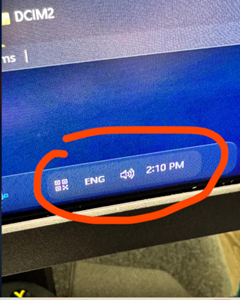
How can I remove the black borders in Windhawk on Windows 11?
While using Windhawk, a black border appears. I would like to remove it and make the background transparent. How should I configure or modify it?

JackSteel
Mar 13, 2026Iron Contributor
The black border usually comes from the theme or mod you’re using in Windhawk, not from Windows itself.
Try these steps:
- Open Windhawk → Installed Mods.
- Find the mod that modifies the UI (for example Windows 11 Taskbar Styler / Theme mods).
- Open Settings for that mod and change the background value to transparent (or remove the border/outline setting).
- Click Apply / Restart Explorer.
If the border is still there, temporarily disable the mod to confirm which one is creating the black background.