Forum Discussion

DakotaWolf
Aug 19, 2025Iron Contributor
Don't want bitlocker and how to turn it off?
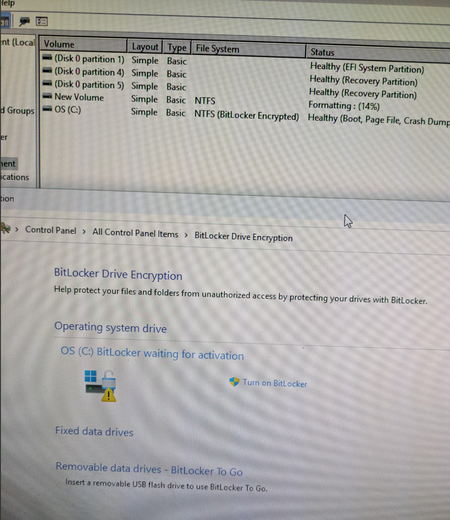
BitLocker, is it on or off? I do not want it on this machine. It is in a safe place used to monitor equipment with many users. No Microsoft account. It says it has it, it says not activated.

Markowski
Aug 19, 2025Iron Contributor
If BitLocker isn’t fully activated, it isn’t encrypting your drive. To ensure it stays off, open Control Panel → BitLocker Drive Encryption and make sure it’s turned off for all drives. If any drives show “On,” select Turn off BitLocker to decrypt them. No Microsoft account is needed to manage this locally.