Forum Discussion

Jaxx-x
Mar 09, 2026Brass Contributor
Destructured Seven Libraries
I take care of my mother's computer which is running Windows 11. Following formatting, I did something wrong and all the libraries were found in the Videos folder: E:\Doc, E:\Music, E\:my images ...
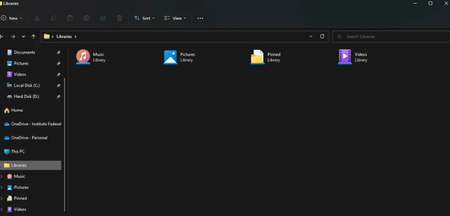

Charlie34000
Mar 14, 2026MCT
Hi,
It looks like the issue is not only with the Libraries, but with the actual user shell folders (Documents, Pictures, Downloads, etc.) being physically moved to the E: drive. When this happens, “Restore default” in the Library properties does not work, and the problem appears for every user account.
You can check the current folder mappings with PowerShell:
Get-ItemProperty "HKCU:\Software\Microsoft\Windows\CurrentVersion\Explorer\User Shell Folders"
If the paths for Personal, My Pictures, My Music, Downloads, etc. point to E:\ or to the Videos folder, Windows will keep redirecting everything there.
To fix it:
- Open Regedit
- Go to: HKEY_CURRENT_USER\Software\Microsoft\Windows\CurrentVersion\Explorer\User Shell Folders
- Restore the default values, for example:
- Documents → %USERPROFILE%\Documents
- Pictures → %USERPROFILE%\Pictures
- Music → %USERPROFILE%\Music
- Downloads → %USERPROFILE%\Downloads
- Log out and log back in
- Then use Library → Properties → Restore default if needed
The “BRIGITTE-PC” icon is simply a backup entry from a previous configuration. It is not related to the folder redirection issue.
Once the shell folder paths are corrected, the normal library structure will return.