Forum Discussion

pjakl
Sep 03, 2022Copper Contributor
Cpu usage running at 100%
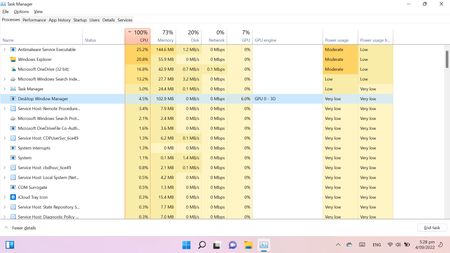
i have attach a copy of my task manager screen my CPU is running a 100% just wondering whether some one can help me to fix the problem I have done a disk clean but it is still not working ...

SimpleSamples
Sep 04, 2022Tin Contributor
It is difficult for me to read what is at the top of the applications in the Task Manager image. I see that Windows Explorer is second but what is it that is at the top? Do you know what that is? Is it consistently the one that uses the most processor time?
My system has 8 cores and sometimes something uses most of the processor time. It is not always the same but one of them is software that takes backups of my system. You need to determine what it is in your system that is using very much processor time and then analyze that.