Forum Discussion

Character map in Windows 11
- Jan 05, 2025
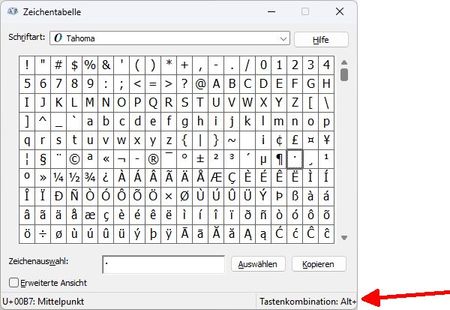
In Windows 11, the Character Map is indeed less resizable compared to earlier versions, which can make it difficult to view all the Alt+ combinations clearly. This change can be frustrating, especially if you're used to a larger, more flexible window for character selection. You might consider using the " emoji panel" by pressing Win + . (Windows key + period) as a temporary alternative, or searching for third-party character map tools that offer more user-friendly interfaces.

In Windows 11, the Character Map is indeed less resizable compared to earlier versions, which can make it difficult to view all the Alt+ combinations clearly. This change can be frustrating, especially if you're used to a larger, more flexible window for character selection. You might consider using the " emoji panel" by pressing Win + . (Windows key + period) as a temporary alternative, or searching for third-party character map tools that offer more user-friendly interfaces.

Thanks for your reply.
I already use emoji panel.
But I think it should be no problem for Windows developers to solve this issue.