Forum Discussion

Can you change this icon (and label) from Headphones to Speakers?
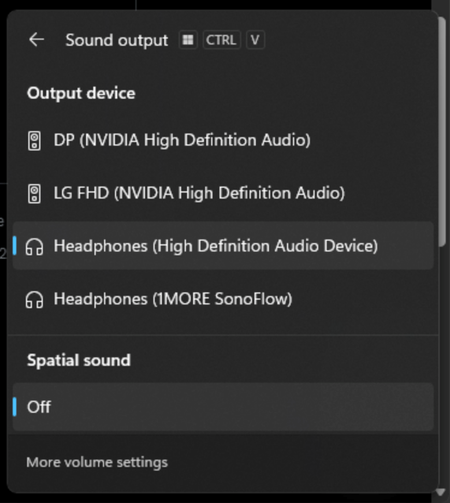

Its name can be changed, but the icon in the sound-output flyout is normally chosen by the audio driver and cannot be manually changed through a supported Windows setting.
Open Settings > System > Sound, select Headphones (High Definition Audio Device) under Output, and use Rename to change the label to Speakers. On builds where Rename is not shown there, press Win + R, run mmsys.cpl, open the Playback tab, select the device, choose Properties, and change the name on the General tab.
If physical speakers are connected and the headphone icon is incorrect, install the latest audio driver from the PC or motherboard manufacturer rather than relying on the generic High Definition Audio Device driver. The manufacturer’s audio utility may also identify the output jack correctly after the driver is installed. The icon itself does not affect audio quality or device functionality, so registry or system-icon changes are not worth using for this.