Forum Discussion

KairosRivers
Jan 31, 2026Iron Contributor
Any good mov to mp4 converter for Windows 11 PC?
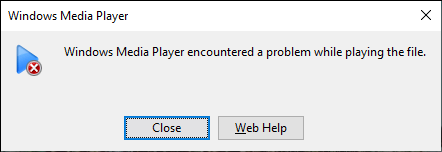
I have a few screen recording on mac and they are saved to mov by default on my mac. I sold my macbook pro and built a new windows 11 pc. However, the stock windows media player failed to play the mo...

Kodyon
Jan 31, 2026Iron Contributor
Shutter Encoder is a free, ad-free mov to mp4 converter for windows. It offers straightforward operation, supports batch conversion, and allows selection of a fast, lossless mode. Compatible with Windows 11 and other Windows systems, it serves as a practical tool for everyday MOV to MP4 conversions.
How to Convert MOV to MP4 Using Software
- Download the Windows version from the official website, then open it after installation/extraction.
- Drag and drop MOV files into the software.
- Click ‘Change’ to select the save path.
- Lossless (Preferred):Select H.264 on the left → Tick Advanced features → Rewrite → Click Start function
- Compatibility Conversion:Select ‘H.264’ on the left → Untick “Rewrite” → Preset: Apple ProRes 422’ → H.264 → Click Start function
Drawbacks
- The custom parameter interface contains some technical terminology, which may require exploration for first-time users
- Complex parameter adjustments impose certain hardware requirements, potentially causing lag on lower-spec machines
- Lacks a preview function, preventing users from previewing the converted output beforehand
Shutter Encoder serves as a practical mov to mp4 converter for windows, balancing speed, quality and ease of use. Free of charge and ad-free, it supports batch conversion, meeting the MOV-to-MP4 needs of most Windows users. It is particularly well-suited for scenarios requiring lossless, rapid conversion.