Forum Discussion

Ian_Bunch
Dec 02, 2022Copper Contributor
Alt codes not working properly on Notepad
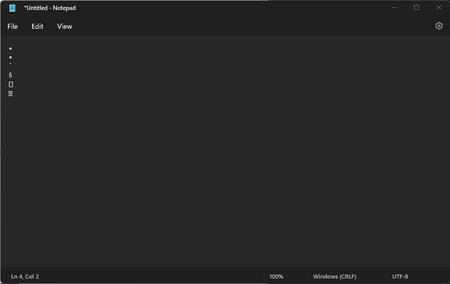
Just today, I was making some notes on Notepad, using Alt+NUM7 to add bullet points to my notes. After 2 consecutive successful uses, instead of creating the bullet character, it starts randomizing t...

Slow_Biden
Nov 21, 2023Copper Contributor
So I'm not the only one!
You have described exactly my same situation and it's kinda one of those issues that can be tricky to word into a useful search query. Thankfully my search engine showed where you said Alt+NUM7, which I use very frequently. Unfortunately, I do not yet know of any fix for this other than making the choice to revert to using notepad classic.
You have described exactly my same situation and it's kinda one of those issues that can be tricky to word into a useful search query. Thankfully my search engine showed where you said Alt+NUM7, which I use very frequently. Unfortunately, I do not yet know of any fix for this other than making the choice to revert to using notepad classic.
 Davey1105Mar 31, 2024Copper Contributor
One alternative for the same bullet point, that works on the new notepad is Alt + 0149 (NumPad).
Although, for some reason, it comes up twice for me, when I key in the next character (even space/enter). So in this Notepad application, I just have to delete the second occurrence.