Forum Discussion

Windows Update says my pc doesn't meet windows 11 requirements
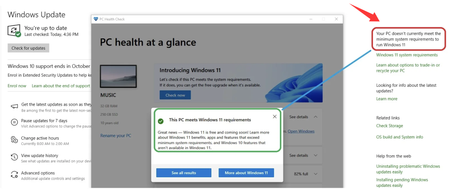

The core of this method involves a registry modification performed during the installation process. It's a complex, hands-on approach that gives you full control, aligning with your preference for more technical solutions. Here's a step-by-step breakdown of how it works when you're faced with the message that Windows Update says it doesn't currently meet the minimum system requirements to run Windows 11.
This procedure is performed while installing Windows 11 from a USB drive or ISO file. It's a manual workaround that instructs the installer to skip the hardware checks.
Step1 Start the Installation: Boot your computer from the Windows 11 installation media (USB drive or DVD). Follow the initial prompts until you reach the screen that displays the error message: "This PC can't run Windows 11" . This is the same fundamental roadblock that triggers the "Windows Update says it doesn't currently meet the minimum system requirements" alert.
Step 2 Open Command Prompt: When you see the error screen, press Shift + F10 on your keyboard. This will open a Command Prompt window, a key part of this complex method.
Step 3 Launch Registry Editor: In the Command Prompt window, type regedit and press Enter. This launches the Windows Registry Editor.
Step 4 Create the LabConfig Key: In the Registry Editor, navigate to the following path:
HKEY_LOCAL_MACHINE\SYSTEM\Setup
Right-click on the Setup folder, select New > Key, and name this new key LabConfig .
Step 5 Create the Bypass DWORDs: Inside the newly created LabConfig key, you need to create several DWORD (32-bit) values to bypass specific requirements.
Step 6 Proceed with Installation: After creating these registry values, close the Registry Editor and the Command Prompt. You can now click the "Back" button on the installation screen and then proceed with the setup. The installation should now ignore the hardware checks and continue normally .
If Windows Update says it doesn't currently meet the minimum system requirements to run Windows 11. This approach is a core part of the Command Prompt method for installing Windows 11 on unsupported systems. If you need to, you can then combine it with one of the account bypass methods to complete a clean installation without a Microsoft account.