Forum Discussion

Arush47
Aug 02, 2021Copper Contributor
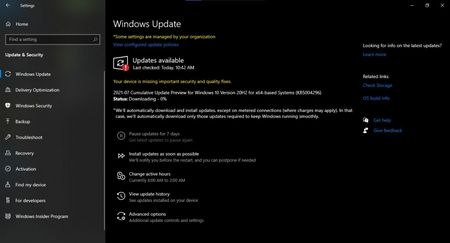
Windows Update error (Your device is missing important security and quality fixes)
Cant update- Cumulative update preview for windows 10 version 20H2 for x64 - based systems (KB5004296) Any solution?

JosePinos55
Oct 11, 2021MCT
You can try these methods to troubleshoot your Windows 10 update issue:
Method 1: Run SFC Scan.
To run an SFC scan, follow these steps:
Run Command Prompt as Administrator.
Type sfc /scannow and hit Enter.
This will check and run an auto-repair on the issue.
Method 2: Run DISM Tool.
After running the SFC scan and the issue still persist, run the DISM to check the system health and to try restoring the files. To run DISM tool, follow these steps:
Run Command Prompt as Administrator.
Type the following commands:
DISM.exe /Online /Cleanup-image /scanhealth
DISM.exe /Online /Cleanup-image /Restorehealth
NOTE: This might a while to finish scanning. Do not cancel.
Method 3:
After doing Method 1 and Method 2 but the issue still persist, you can manually reset the Windows Update Components and Run Windows Update process again.
Resetting Windows Update Components will fix those corrupted Components and will help the Update installation quickly. To reset Windows Update Components, follow these steps:
Run Command Prompt as Administrator
Stop BITS, Cryptographic, MSI Installer and Windows Update Services. To do this, type the following commands:
Net stop wuauserv
Net stop cryptSvc
Net stop bits
Net stop msiserver
Rename SoftwareDistribution and Catroot2 folder. To do this, type the following commands:
Ren C:\Windows\SoftwareDistribution SoftwareDistribution.old
Ren C:\Windows\System32\catroot2 Catroot2.old
Restart BITS, Cryptographic, MSI Installer and Windows Update Services. To do this, type the following commands:
Net start wuauserv
Net start cryptSvc
Net start bits
Net start msiserver
Restart your computer and try to install Windows Update.
Let us know how it goes.

GuyOfTwoSpoons
Apr 23, 2025Copper Contributor
One = Failed. Some kind for critical failure
Two = timed out. Some kind of redundancy scanning loop. scanhealth got to 4.8% and then just froze a while.
Third = All the stops worked. The folders were renamed. I clicked through the GUI and saw the renamed folders. I restarted the services as you wrote. Rebooted. Started windows update and it's been Checking for updates... for about 45 minutes and still going. The red letters of Your device is missing important security and quality fixes. is still there.
Would you have any other advise?
- GuyOfTwoSpoonsApr 24, 2025Copper Contributor
just decided to cloud reinstall... spending too much time with fixes that don't work.