Forum Discussion

stfromli
Jan 01, 2018Copper Contributor
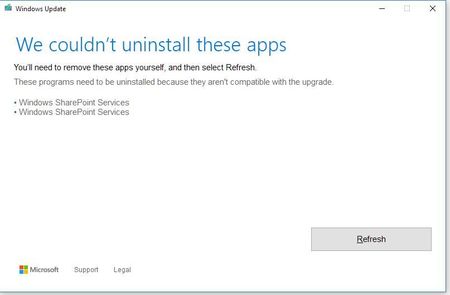
Windows 10, update 1709 - unable to install due to WSS being on my laptop. Trouble is it's not there
Simply put, I'm unable to update because it thinks WSS is installed on my laptop. It isn't. How do I resolve it, it's not letting me install the update due to the message I'm seeing. I checked the i...

stfromli
Jan 01, 2018Copper Contributor
The previous install was from Microsoft. 1709 was just the next update in line (the creator edition they’ve been advertising. This is part of Microsoft’s automatic update program.

Simon Binder
Jan 02, 2018MVP
Ok, that's a good start! If possible, could you take a screenshot of your add/remove-programs page? That could give us a clue on if there are any other applications that may run SharePoint as a part of the application. You don't have SharePoint installed, but some other application may well run its service. You could also search your registry (search for regedit.exe in the start menu and then use the search-option (Edit -> Find) and search for SharePoint and see if you find any references to it.
- stfromliJan 09, 2018Copper Contributor
did a regedit search, searched at the computer node for anything sharepoint. Here are the results . As you can see, other than this, nothing sharepoint...
- Simon BinderJan 12, 2018MVPOk, could you try to uninstall the Adobe Acrobat product you may have installed?
You could also have a look at services.msc to see if you find the service there. I doubt it, but it never hurts to look.
Also, if possible, share your add/remove programs list, it may give us a clue.