Forum Discussion

Boboin
Apr 02, 2026Iron Contributor
Windows 10 Lock session with power button like Linux
Can I press the power button to lock my screen instead of shutting down, just like Linux? Win+L doesn’t work for me.

mohdadeeb
Apr 02, 2026Iron Contributor
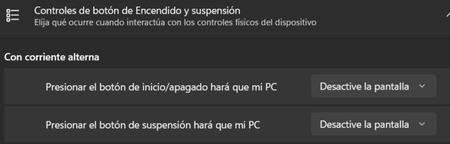
Yes, you can change what the power button does in Windows 10, but unfortunately there isn’t a direct option to make it lock the screen like in Linux. What you can do instead is change the action to Sleep or Turn off the display, which will require you to sign in again when you wake the system.
To change it:
Go to Control Panel → Hardware and Sound → Power Options → Choose what the power buttons do. Then change “When I press the power button” from Shut down to Sleep or Turn off the display and save the settings.
Another small trick is creating a shortcut that locks the PC. Create a new desktop shortcut and use this command:
rundll32.exe user32.dll,LockWorkStation
Clicking that shortcut will instantly lock your session.