Forum Discussion

FinneasHayes
Apr 07, 2026Iron Contributor
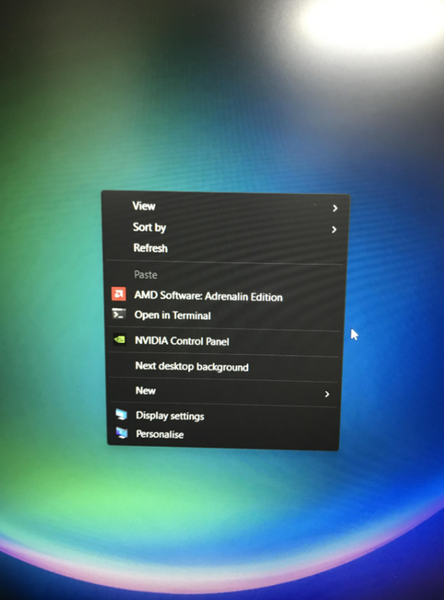
Windows 10 How to customize the menu below?
Is it possible to customize the menu in the picture, such as choosing which apps to show or hide?

mohdadeeb
Apr 07, 2026Brass Contributor
You can customize the bottom menu (taskbar) in Windows 10 quite easily. Just right-click on the taskbar and open Taskbar settings, from there you can turn options like search or task view on or off, change the taskbar position to top, left or right, and even make the icons smaller if you prefer a cleaner look. If you want to add apps, open the app, then right-click its icon and select “Pin to taskbar”. To remove anything, just right-click and choose “Unpin from taskbar”. You can also control system icons like battery, volume and network from the same settings page, so overall it’s pretty flexible once you explore the options.