Forum Discussion

SpicyMayo
Apr 06, 2022Copper Contributor
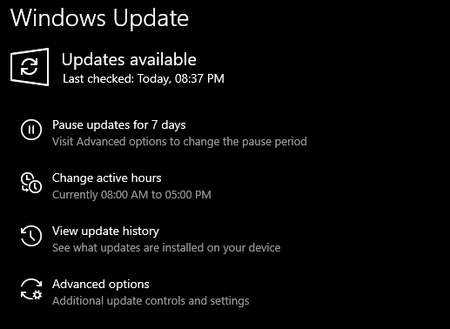
Windows 10 "Check for updates" button is broken
Hey, So with Windows 10 21H1 and 21H2, I've noticed that the "Check for updates" button in Settings is broken if you're using registry tweaks to disable automatic driver updates. Updates on W...

Reza_Ameri
Apr 06, 2022Silver Contributor
Try open start and search for feedback and open the Feedback Hub app and report this issue.
Try perform a Clean Boot and see if the problem persist?
Take a look at:
https://support.microsoft.com/en-us/topic/how-to-perform-a-clean-boot-in-windows-da2f9573-6eec-00ad-2f8a-a97a1807f3dd
Try perform a Clean Boot and see if the problem persist?
Take a look at:
https://support.microsoft.com/en-us/topic/how-to-perform-a-clean-boot-in-windows-da2f9573-6eec-00ad-2f8a-a97a1807f3dd
 SpicyMayoApr 06, 2022Copper Contributor
Hey, thanks for the response
I would have reported it in Feedback Hub but I use an offline local account and also I have the a fresh new copy of Windows 10 installed on my computer with all the latest updates and it still results with the same issue.
Could you possibly report this issue via Feedback Hub for me? Just copy and paste the whole post.Thanks,
Regards
- Reza_AmeriApr 07, 2022Silver ContributorSending issue using the Feedback Hub, it will collect log files and personal data which due to privacy we couldn't ask you to share such a data using this forum. You may send a feedback whenever you had access to the internet.
Have you tried the Clean Boot?
If yes, what was the result?