Forum Discussion

When resizing a window, the mouse cursor in Windows 10 changes from white to black.
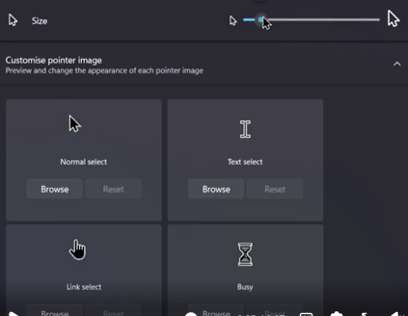

Hi — this is usually tied to the Windows accessibility pointer style rather than the window itself. Larger pointers can use an inverted or contrast-aware rendering mode, which may make the resize cursor look black on a light background.
Go to Settings > Ease of Access > Mouse pointer and explicitly select the plain white pointer style, then change the size and test again. You can also open the classic Mouse control panel > Pointers, choose Windows Default (system scheme), and apply it. If a custom cursor pack is installed, remove it for the test.
If the color still flips only while resizing, update the graphics driver and try a new Windows user profile. It is likely cosmetic, but a screenshot plus your Windows build from `winver` would help confirm whether it is a rendering bug.