Forum Discussion

Steven8294
Aug 23, 2022Copper Contributor
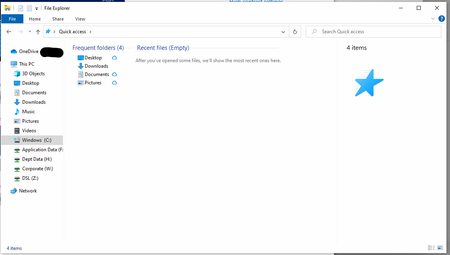
Quick Access is missing on the navigation pane
Quick Access is missing on the navigation pane of about 100 HP Desktops that we have recently autopiloted, anyone have any ideas how to bring it back? The navigation pane is switched on, and...

Francisoon
Aug 27, 2025Iron Contributor
Please check the Navigation Pane Settings. There's a specific setting to toggle Quick Access on and off directly.
- Open File Explorer (Win + E).
- Click on the View menu.
- Click on Navigation pane in the ribbon menu.
- A drop-down menu will appear. Ensure there is a checkmark next to Show Quick access. If there isn't, click on it to enable it.
This should make it appear immediately.