Forum Discussion

Peytong1180
Jun 01, 2026Iron Contributor
MS onedrive screwing me
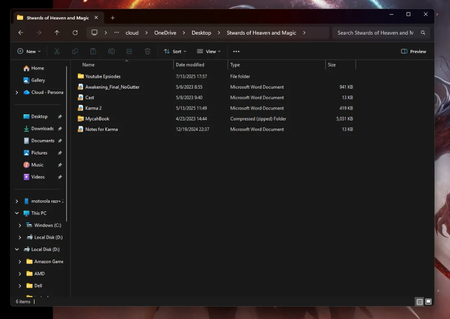
So My laptop stopped working and the power just died on it. Now I have my HD out of my laptop and I can't get my MS Word open. The two files I care about are for my second book I am writing. One...

Jamony
Jul 10, 2026MCT
Hi, first sign in to OneDrive on the web and look for the book and notes there, including the Recycle Bin. If they are present, download normal copies immediately. The error on the removed drive usually means those files were Files On-Demand placeholders and the actual contents were stored in OneDrive, not fully on the disk. Check the file sizes; tiny placeholder files cannot be opened by Word without the OneDrive provider and account. Do not format or heavily modify the old drive. If the files are absent online and were never available offline, a data-recovery specialist may be the safest next step.