Forum Discussion

Locked out of brand- My new laptop
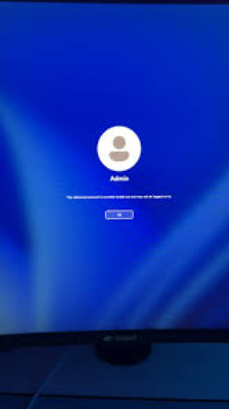

A brand-new laptop is the same as a not-so-brand new laptop. A Microsoft Account is enough, even that is a lot. Usually "msn.com" When you log into your Microsoft account from another computer, you also have to log out of it when you're done. You can't use a mobile phone at all, go to the library or an Internet cafe.
In the account, you have to fill in the mobile phone number you use, you will also get the same feedback when you set up your device, because it asks for the last four digits, then sends the code to your phone, you enter it, and then you can continue setting it up.
If it says that this is not good, it also says, "Once you've set it up, you'll be able to log in with your Microsoft account" and then you have to fill in the "Local Account" details, come up with a password, and answer three security questions.
They don't put a "Professional RTM" version (Retail) in a laptop, but unfortunately you will need it when it asks for the key (if it asks for it) if not you can write it in Windows afterwards after the setup. You can buy such a key cheaply somewhere.
You will need to have a bootable USB, Windows 11-25H2, which you can create with the media creation tool.
During the settings, when it asks for the update, you can choose and enter it twice in a row. "Set this computer up as a new device" pay close attention to this so that it doesn't download data from another account.
In the BIOS, first "First boot on usb OS" you can see which one, and when it finished writing to the disk, remove the USB and go back into the BIOS, then "First Boot on Boot manager"
At the very beginning, you can erase everything, and you need to erase everything from the disk you will be installing Windows on, so that only a blank space remains before the setup. (Don't erase the USB, just what's on the disk.)
And of course, you need to be logged into the Internet while doing this. If you created a "Local Account" while doing this, it's better to write down the details on a piece of paper, because you'll be logging into the computer with that when you're done with the settings.
Then you have to reinstall each driver in Windows, and everything else one by one. In Settings, Account, where it is, asks "Verify Account", enter your last four phone numbers, the code comes back, enter that too, go ahead and unlock the computer, otherwise you won't be able to activate it.
https://www.premiumcdkeys.com/products/windows-11-professional-retail-key?variant=39565046579280&country=SE¤cy=SEK&utm_medium=product_sync&utm_source=google&utm_content=sag_organic&utm_campaign=sag_organic&gad_source=1&gad_campaignid=21884451314&gbraid=0AAAAAqBbGqIUNxeZNT4eiZZGKyXFaSXaG&gclid=EAIaIQobChMItIWjxJ39lAMVG16RBR3fHiQaEAQYCCABEgIx7PD_BwE
https://www.microsoft.com/en-us/software-download/windows11
Short explanation: There are no accounts on the machine, and there is nothing else but Windows. When you want to sell a laptop to someone, you have to delete it completely from your Microsoft account, even the disk etc... so that nothing remains on it, otherwise the person you sold it to will not be able to use it as "Administrator" as you show in the picture. "Admin" is not your name or anyone else's name. This means that there is nothing in the world on it, it is empty.