Forum Discussion

Is there a free way to get security updates for Windows 10 Home?
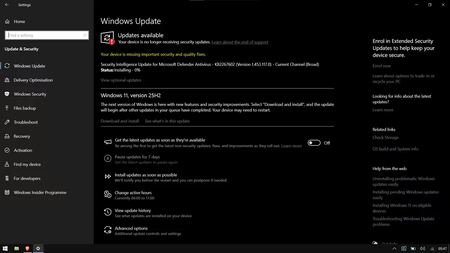

You want to keep Windows 10 Home protected without trusting unofficial activation methods. The “Enroll now” option shown in Windows Update is the correct Microsoft route: Consumer Extended Security Updates. Ensure the PC runs Windows 10 version 22H2, has current updates, and uses an adult Microsoft account with administrator rights. Select Enroll now and let the wizard show the options available for your account and country. If it offers enrollment at no additional cost for syncing PC settings, or a Microsoft Rewards redemption, either is legitimate; otherwise use the paid option shown by Microsoft. Do not use scripts, leaked keys, or registry bypasses claiming to enable ESU. Microsoft currently states that Consumer ESU can protect eligible Windows 10 devices through October 12, 2027, but it supplies security updates rather than feature improvements or normal technical support. Keep a separate backup and plan a supported Windows upgrade or replacement.